

Applying for help shouldn’t feel like solving a maze. GA Gateway, also called Georgia Gateway, is the Online Benefits Management portal where people in the State of Georgia apply for, track, and renew Public Assistance from one account, at any hour, using a phone or computer.
Before this portal existed, families often visited several offices and repeated the same paperwork. With GA Gateway, one Digital Application System handles food, health, cash, and childcare help together. This guide explains how it works, what to expect, and how to avoid the mistakes that cost people benefits.
Comprehensive List of Benefits Managed Through GA Gateway
Through one Centralized Portal, you can apply for food, health, cash, and childcare help. The system also checks Cross-Program Eligibility, so a family applying for one program gets screened for others they may qualify for.
Each program has its own rules, but the Customer Account stays the same. You upload papers once, watch your Case Summary, and answer requests from your caseworker without starting over.
- Supplemental Nutrition Assistance Program (SNAP), once called Food Stamps, loads monthly grocery money onto an Electronic Benefits Transfer (EBT) card.
- Medicaid covers low-income adults, children, pregnant women, seniors, and people with disabilities.
- PeachCare for Kids insures children whose families earn too much for Medicaid.
- Temporary Assistance for Needy Families (TANF) offers Cash Assistance for basics while supporting job preparation.
- Childcare and Parent Services (CAPS) helps pay for childcare so parents can work or study.
- Women, Infants, and Children (WIC) is only screened here; the Georgia Department of Public Health finishes it.
| Program | What It Helps With | Who Usually Manages It |
| SNAP | Food Assistance | DFCS |
| Medicaid | Healthcare Coverage | DCH |
| PeachCare for Kids | Children’s Medical Benefits | DCH |
| TANF | Cash Assistance | DFCS |
| CAPS | Childcare Assistance | DECAL |
| WIC | Nutritional Assistance | Public Health |
Step-by-Step Guide: How to Get Started with GA Gateway
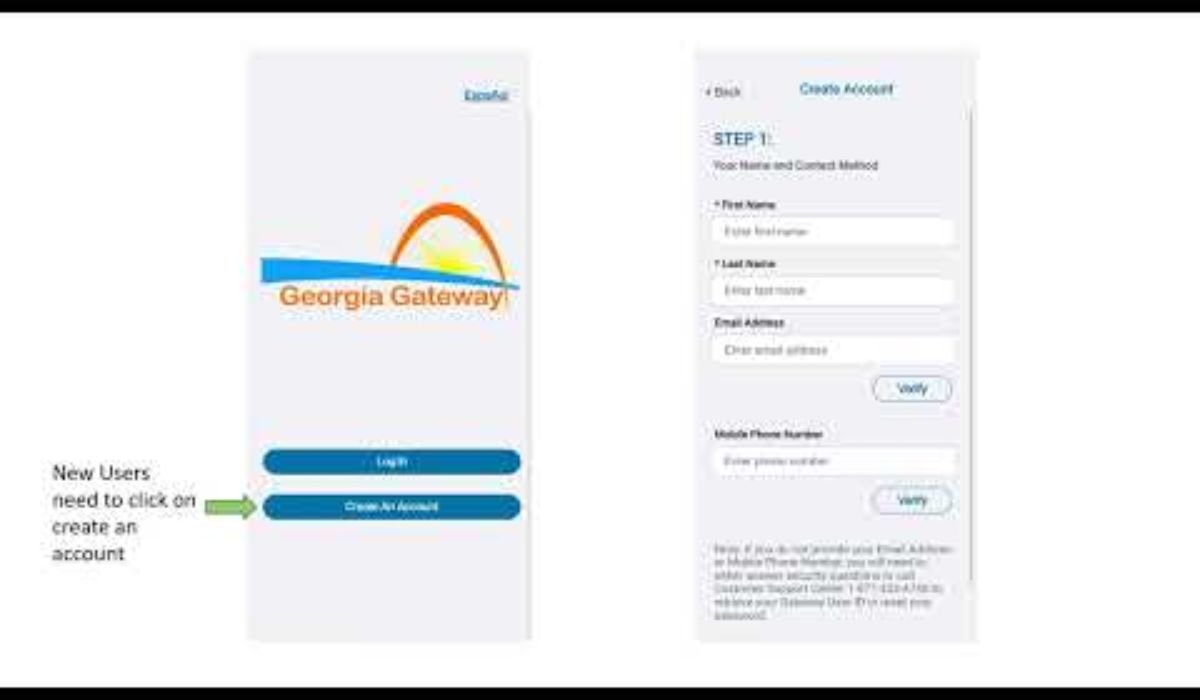
Start by creating your account with a valid email address and Secure Login Credentials. The system asks for your Social Security Number (SSN) and Date of Birth so it can match any records the state already holds.
Then choose Apply for Benefits and answer questions about Household Size, Residency Information, income, and expenses. Use “Save and Exit” if you’re missing something, then return later. Finally, upload proof and wait for your interview call.
- Gather your ID details, income records, rent, and utility costs first.
- Complete Account Registration and finish Account Setup.
- Submit the Online Application and keep your Confirmation Number.
- Upload Pay Stubs, Lease Agreements, and Utility Bills through Document Upload.
- Check My Cases for interview dates and requests for more information.
- Watch for an Approval Status or Denial Status on your dashboard.
GA Gateway APK for Android Download
Many people search for an APK file, but downloading one from a random website is risky. Install the Android App only from Google Play, and iPhone users should use the App Store. Official downloads help protect your Digital Security and personal data.
- Search for “GA Gateway” inside your phone’s official store.
- Avoid APK files shared on forums, ads, or messaging apps.
- Use the Mobile App to scan papers and check your EBT Balance.
- The Mobile-Responsive Website works fine if you skip the app.
Technical Comparison: Online Portal vs. In-Person Application
The online portal wins on speed and convenience, since submissions arrive instantly and you can track progress yourself. Visiting a DFCS Office or mailing forms still works, but each step takes longer and usually needs phone calls for updates.
The right choice depends on your situation. If internet access is a problem, Georgia Public Libraries offer free computers. Whichever route you pick, your information ends up in the same state system.
- Online is best for speed, Real-Time Status Tracking, and instant uploads.
- Office visits help people who want face-to-face guidance.
- Paper Applications suit those without devices, though shipping adds delay.
- Local libraries help close the Digital Equity gap.
| Feature | GA Gateway Portal | DFCS Office | Mail or Fax |
| Availability | 24/7 Portal Access | Business hours | Anytime to send |
| Speed | Fastest | Moderate | Slowest |
| Documents | Instant upload | Physical copies | Photocopies |
| Tracking | Live dashboard | Call or visit | Call |
| Needs Internet | Yes | No | No |
Troubleshooting Common GA Gateway Issues
Most problems are simple. An Account Lock usually follows too many Failed Login Attempts, so use Forgot Password or Forgot User ID instead of guessing. If that fails, the GA Gateway Help Desk can reset it.
Upload errors are the next big headache, usually caused by an Unsupported File Format or a File Size Limit. Convert files to PDF or JPEG, and check System Announcements for Scheduled Maintenance, which often happens late at night or on weekends.
- The help desk fixes technical trouble; your local DFCS office answers eligibility questions.
- Use Password Reset and Account Recovery tools before calling.
- Photograph documents in good light and save them as JPEG Format or PDF Format.
- If your old benefits are missing, try Linking a Case with your Client ID or SSN.
- An unlinked case can mean missed Renewal Notices.
| Problem | Likely Cause | Quick Fix |
| Locked account | Too many wrong tries | Reset password |
| Upload fails | File too big or wrong type | Convert to PDF/JPEG |
| Site unavailable | Maintenance | Check announcements |
| Old case missing | Not linked | Link with Client ID |
Read Also This: BrumeBlog.com Review 2026: Is It Safe, Trustworthy, and Worth Visiting?
Expert Insight: Maximizing Success on the GA Gateway Platform
The biggest cause of lost benefits is missed paperwork. Log in about once a month to read My Alerts and Notifications, and finish every renewal or Periodic Reports form on time so your Case Closure never happens by surprise.
Accuracy matters too. Report Gross Income (before taxes), not Net Income, because eligibility formulas use gross figures. Wrong numbers can create Overpayments or Underpayments, and outdated contact details mean you could miss mail from the U.S. Postal Service.
- Report job loss, new household members, or rent changes quickly, ideally within 10 days.
- Use Manage My Benefits to send Household Changes and Contact Information Updates.
- Know you can request a Fair Hearing if you disagree with a denial.
- Turn on Multi-Factor Authentication and keep your Security Questions private.
- Only enter personal details on the official .gov site.
Frequently Asked Questions
What is GA Gateway used for?
GA Gateway helps Georgia residents access government services. It provides information about public benefits, assistance programs, and essential resources.
How can I create an account?
You can visit the official website to register. GA Gateway lets eligible users create accounts and manage their benefits online.
How do I log in to my account?
Visit the official login page and enter your details. GA Gateway allows users to access their applications and benefit information.
What benefits can I find online?
You can check several government assistance programs through the platform. GA Gateway provides access to food, medical, and financial support services.
Can I check my application status?
Yes, you can review your application progress online. GA Gateway helps applicants track requests and check updates about their benefits.
How can I reset my password?
Select the forgot password option on the login page. GA Gateway provides recovery steps to help you regain access securely.
Is the website available on mobile phones?
Yes, you can access the platform through a mobile browser. GA Gateway makes it easier to manage benefits without visiting an office.
Final Thoughts
GA Gateway has turned a slow, paper-heavy process into something you can handle from your phone. When you keep your account updated, upload clear documents, and respond quickly, you give your application its best chance of moving smoothly from submission to decision.
Treat GA Gateway as an ongoing tool, not a one-time form. Check it monthly, report changes fast, and ask your local DFCS office when eligibility questions come up. A few minutes of attention can protect food, health, and childcare support for your family.
1 thought on “GA Gateway: A Complete Guide to Georgia’s Social Services and Benefits”